
Sending the Payment & Post-transaction Hooks
All that's left is to actually send the payment by paying the invoice!
However, this payment needs to go from the sender's preferred currency →
bitcoin → the receiver's preferred currency. On the sending VASP side,
when the user confirms they want to send the payment, you first need to
convert from their preferred payment currency to bitcoin so that it can
travel over the Lightning Network. This actual conversion is out of scope
of the UMA standard and can be done with whatever mechanism is available
to you with whatever fees are normally applied to such a conversion for
your users.
Once the funds are converted to bitcoin and in a channel on your Lightning
node, you just need to pay the invoice that was created and sent in the
PayReqResponse. The payment is node-implementation-specific,
but assuming you are using the Lightspark SDK as your Lightning implementation:payment = lightspark_client.pay_uma_invoice(
node_id=config.node_id,
encoded_invoice=encoded_invoice,
timeout_secs=60,
maximum_fees_msats=1_000_000,
amount_msats=None, # to pay the whole invoice amount
signing_private_key=signing_private_key_bytes,
# hashed using a monthly-rotated seed and used for anonymized analysis. To disable analytics, you can omit passing the sender_identifier
sender_identifier=sender_identifier,
)
What if the invoice expires before the user confirms the payment?
As mentioned in the previous section, UMA invoices may have short
expiration periods. This means that if the sending VASP's user takes too
long between the payreq and confirmation steps, the invoice may expire! As
a sending VASP, you have some UX options to address this concern:
- If the invoice has expired before the user confirms payment, provide a landing experience which clearly informs the user the exchange rate has expired, and give the user a way to get an updated exchange rate to trigger a fresh invoice, like a primary CTA at the bottom of the screen which says "Update". Be sure to show the new exchange rate in the UI.
- Automatically refresh the invoice before it expires from your client application. For example, if my invoices have a 5-minute expiration time, maybe after 4 minutes, I automatically issue a new payreq request to update the invoice and exchange rate shown in the UI. You can even show a timer in the UI to indicate how long the current exchange rate is valid for. This is the recommended approach.
As a receiving VASP, you'll need to listen for a completed incoming
transaction. With the Lightspark SDK, that can be done via webhooks.
When your user receives a payment, the UMA flow contemplates
that you will convert the received bitcoin to the receiver's preferred
currency at the agreed-upon conversion rate, but the actual currency conversion
is out of scope of the UMA standard.
At this point, the transaction is complete, and we've successfully gone
from the sender's preferred currency to the receiver's preferred currency
over the Lightning Network ⚡🎉! Go ahead and show the success screen -
you deserve it!
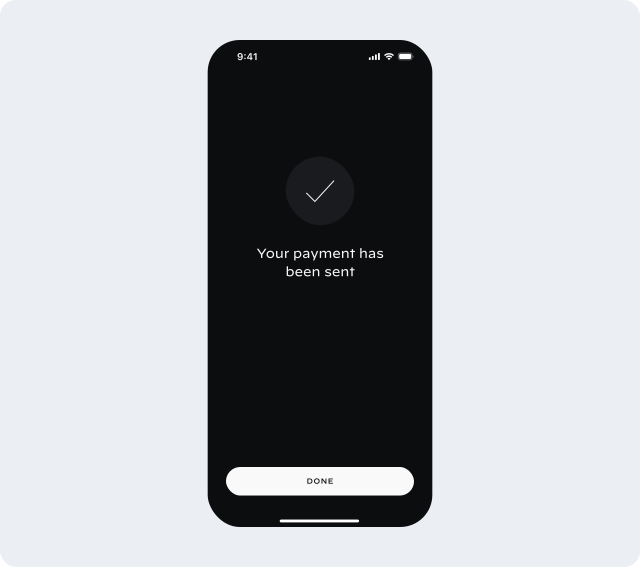
But wait, one more thing! What about those
utxoCallback fields and
post-transaction hooks we mentioned earlier? We'll need to complete the
post-transaction hook process to register transactions with the Compliance
Provider for transaction monitoring and any other compliance purposes.Note: You only need to receive post-transaction hooks
from your counterparty VASP for the UTXO-based compliance flow for cases
where your Compliance Provider does not support lookups and registration
via node public key. If your compliance provider supports using the node
public key instead, you can simply pass nil for the
utxoCallback field
where needed. However, you do still need to send post-transaction hooks if
the other VASP has provided a utxoCallback.On the sending VASP side, you'll need to first wait for the payment to complete.
With the Lightspark SDK, you can do something like the below to monitor for payment completion:
import time

def wait_for_payment_completion(payment: lightspark.OutgoingPayment) -> lightspark.OutgoingPayment:
  attempt_limit = 200
  while payment.status not in [lightspark.TransactionStatus.SUCCESS, lightspark.TransactionStatus.FAILED]:
    if attempt_limit == 0:
      raise Exception("payment timed out")

    attempt_limit -= 1
    time.sleep(1)
    payment = lightspark_client.get_entity(payment.id, lightspark.OutgoingPayment)

  return payment
When the payment has completed, you can use the Lightspark SDK's result to retrieve the
UTXOs of channels used to send the payment, along with the amounts sent over each channel:
utxos_with_amounts = []
for payment_data in payment.uma_post_transaction_data:
  utxos_with_amounts.append(
    uma.UtxoWithAmount(
      utxo=payment_data.utxo,
      amount_sats=payment_data.amount_msats // 1000,
    )
  )
Then, using the
utxoCallback field returned in the PayReqResponse, you
can send the UTXOs used to complete the payment.import requests
import json
callback_obj = create_post_transaction_callback(
utxos=utxos_with_amounts,
vasp_domain="vasp1.com",
signing_private_key=signing_private_key,
)
response = requests.post(
url=pay_request_response.get_compliance().utxo_callback,
json=callback_obj.to_dict(),
timeout=20
)
This informs the receiving VASP of the sending UTXOs used to send the
transaction. It can register these with its Compliance Provider to monitor
the transaction or take any other compliance steps as needed.
As the receiving VASP, you'll need to listen for completion of an incoming
transaction. As mentioned previously, with the Lightspark SDK,
this can be done using webhooks looking for the
PAYMENT_FINISHED event type.event = lightspark.WebhookEvent.verify_and_parse(
request.data, request.headers.get(lightspark.SIGNATURE_HEADER), signing_key
)
if event.event_type == lightspark.WebhookEventType.PAYMENT_FINISHED:
payment = lightspark_client.get_entity(event.entity_id, lightspark.LightningTransaction)
if payment.status == lightspark.TransactionStatus.SUCCESS and isinstance(payment, lightspark.IncomingPayment):
utxos_with_amounts = []
for data in payment.uma_post_transaction_data:
utxos_with_amounts.append(
uma.UtxoWithAmount(
utxo=data.utxo,
amount_sats=lightspark.utils.amount_as_msats(data.amount),
)
)
send_utxos_to_callback(saved_pay_request.payer_data.compliance.utxo_callback, utxos_with_amounts)
Sending the UTXOs to the callback URL can be implemented with any networking library.
For example:
import requests
import json

def send_utxos_to_callback(utxo_callback: str, utxos: list[uma.UtxoWithAmount]) -> None:
  callback_obj = create_post_transaction_callback(
    utxos=utxos,
    vasp_domain="vasp2.com",
    signing_private_key=signing_private_key,
  )
  response = requests.post(
    url=utxo_callback,
    json=callback_obj.to_dict(),
    timeout=20
  )

  # Handle error and response.
Now the sending VASP can register the incoming HTLC UTXOs with its Compliance Provider
for transaction monitoring. With that, the full protocol is completed!
Like previous requests, the post-transaction hook requests are signed
and can be verified by the counterparty VASP.
try:
  callback_obj = uma.parse_post_transaction_callback(request.json)
  uma.verify_post_transaction_callback_signature(
    callback_obj,
    pubkey_response,
    nonce_cache,
  )
except Exception as e:
  # Handle error.